Street View Face Blurring
Wednesday, 14th May 2008 by James Turnbull
A recent update to the Street View images of Manhattan has added a new feature designed to protect the privacy of innocent people wandering the streets. So what is this incredible new technology? Why, it's automatic blurry faces of course!
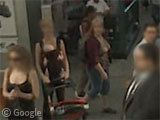
The new system is designed to detect faces in the street view images and blur them out, so everyone looks like they've been watching The Ring.
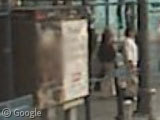
Due to the vast amount of data involved here, the system is fully automatic - which fortunately for us, appears to be prone to making mistakes! For example, it's not just real faces that get blurred - this roadside advert featuring the face of the Dali lama has also been obscured to protect his privacy rights (although if you move up the street and look back and you'll be able to make out his face).
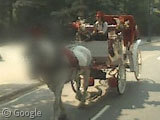
It seems that the system really is very good though. Too good perhaps, as demonstrated by this completely anonymous horse in central park.
One of the reasons that Google has implemented this technology now is possibly that the privacy laws in Canada, Australia and much of Europe would not have allowed images like these to be published otherwise, so it appears that Street View will definitely be coming to a city near you soon.
In the meantime, can anyone find any other examples of incorrectly blurred faces? Or perhaps you can recognise someone despite the blurring? Let us know in the comments!


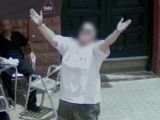
Just down the road, we have hub-cap blurring tech too.
I wonder; is it only facial recognition they’ve got going on, or are other body parts obscured? Good thing you got topless sunbathers when you did!
blurry hubcaps are one click SW of link above
Actually there’s all sorts of blurry bits in random locations – bits of cars, bits of buildings, etc. It seems that the tech errs on the side of caution to say the least…
I always wondered if anyone managed to recognize himself on Street View and looking the cars pictures on Flickr I came across the story of this guy who took the picture of a Street View car and found himself in Street View: View Placemark,,1,11.555664584344497
Forgot to say that if you go two clicks forward on the road you’ll find the picture taken almost at the same moment the guy was taking the picture, although it’s a little farther and less recognizable.
Ah the joys of privacy paranoia.
one week ago I caught the google car doing streetview in milan and couldn’t wait to see myself online… what a pity …
Ah… I felt kinda blurry today, but now I know why…
That’s too bad; I liked seeing the people on StreetView.
Privacy in public, eh? I always liked looking at the people gawking at the silly looking thing on top of the car. Now it all looks like some poorly done magazine ad.
Google Streetview Car reported to be working in Spain (Madrid, Barcelona, Valencia and Sevilla)
http://www.elmundo.es/navegante/formularios/coches_google.html
Blurring people’s faces or their whole bodies isn’t just being used for street view – it can be applied to video surveilance as well. Nobody wants their privacy invaded by having their face recorded while in public, but we do want criminals caught on tape. This article explains in more detail:
http://inhardfocus.com/2008/05/more-cool-privacy-tech.html